Adding conditional logic to a journey builder tool
A feature enhancement enabling admins to build context-aware login flows without code
Snapshot
My role: Lead designer
Project type: Tactical feature
Team: Product manager, product owner, dev team for consulting
Timeline: 2 quarters (approx 20 weeks) while managing other projects
Context
The authentication journey builder is a core capability on the identity platform. This lets the user set up their desired login flows in a structured swimlane-style layout.
The User
System integrator admin, who is somewhat technical and in charge of translating their business and security requirements to the platform configuration.
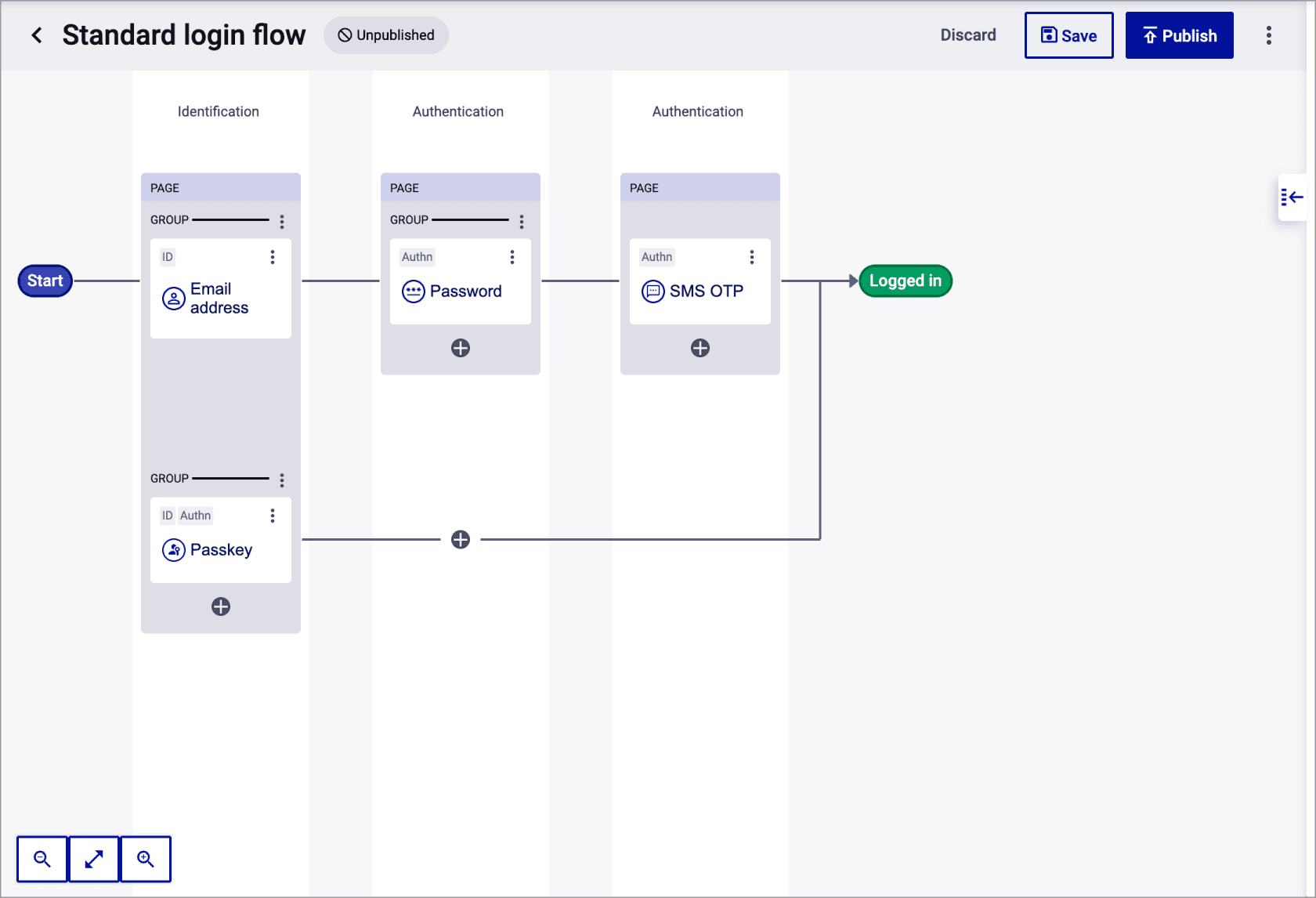
The starting point: users can create straightforward login flows in a structured, linear format.
Problem/opportunity
If the customer wanted conditional logic in their journey, there was no way to configure it themselves - they would have to get their journeys custom-made by our professional services team. This costs time and money and customers are obviously not happy.
How might we accommodate complex conditional logic on the journey builder to enable customer independence, while staying true to the simplicity that’s been established?
Phasing the solution to deliver value in increments
Considering that this is a tactical project, I worked out a pragmatic way to phase this work:
First phase (MVP): Select from pre-canned condition templates that are not editable.
Second phase: Make it flexible and editable!
Phase 1: The right level of UI explorations (not reinventing the wheel here)
I drove a quick design process of exploring how to convey conditional splits on the diagram, converging on a UI that followed ubiquitous patterns and matched our pre-established designs.
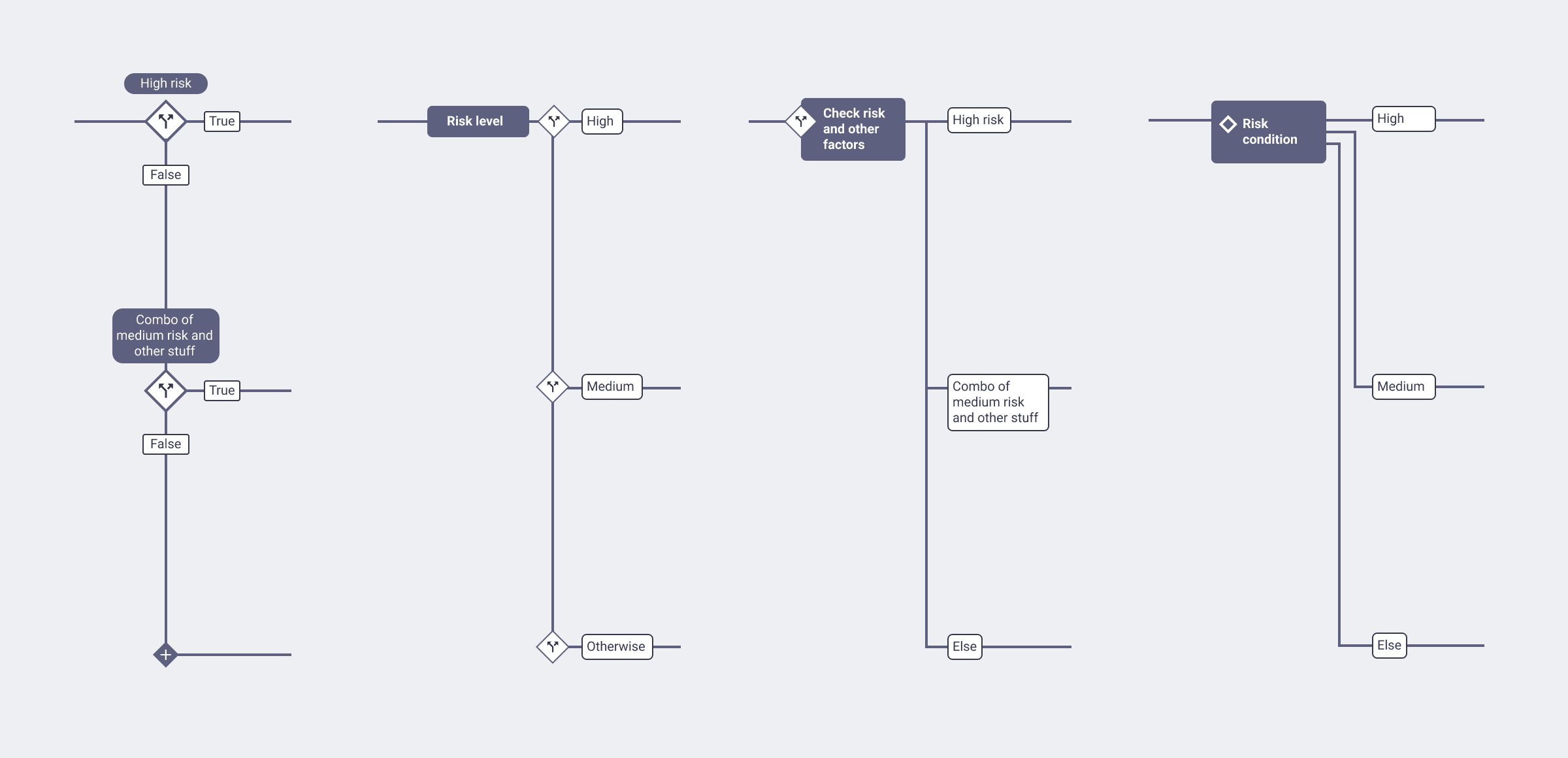
Explorations for how the branches can be depicted on the journey diagram.
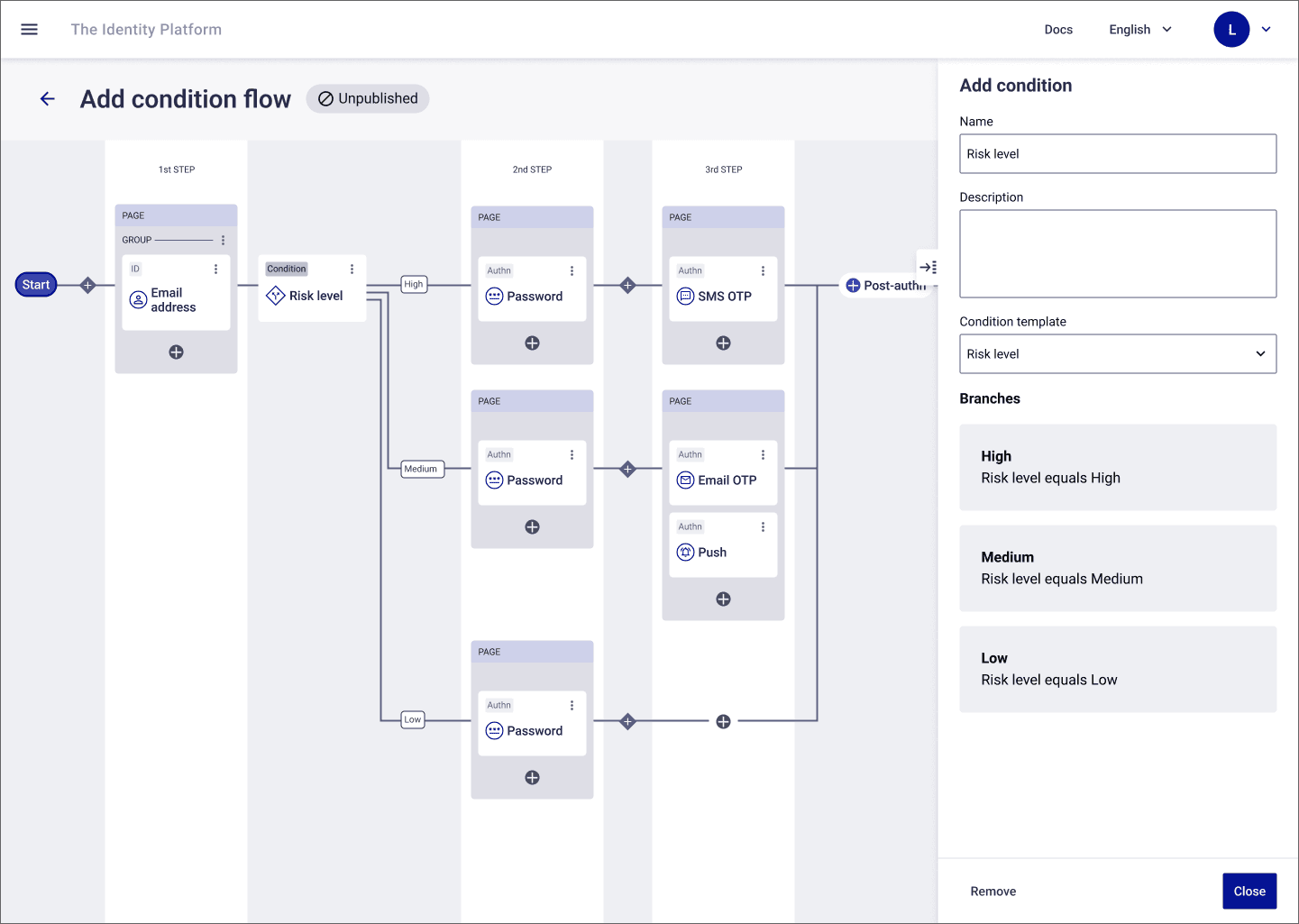
The final branch design for the journey diagram.
Being proactive with the vision to guide a short-sighted team
The team likes to focus on the current phase, especially for such a tactical project. I took the initiative to work in an exploration of what Phase 2 and beyond could look like. This not only helps me check that the design decisions I make in Phase 1 hold up, but it allows the dev team to plan their Phase 1 build to be able to support Phase 2 easily.
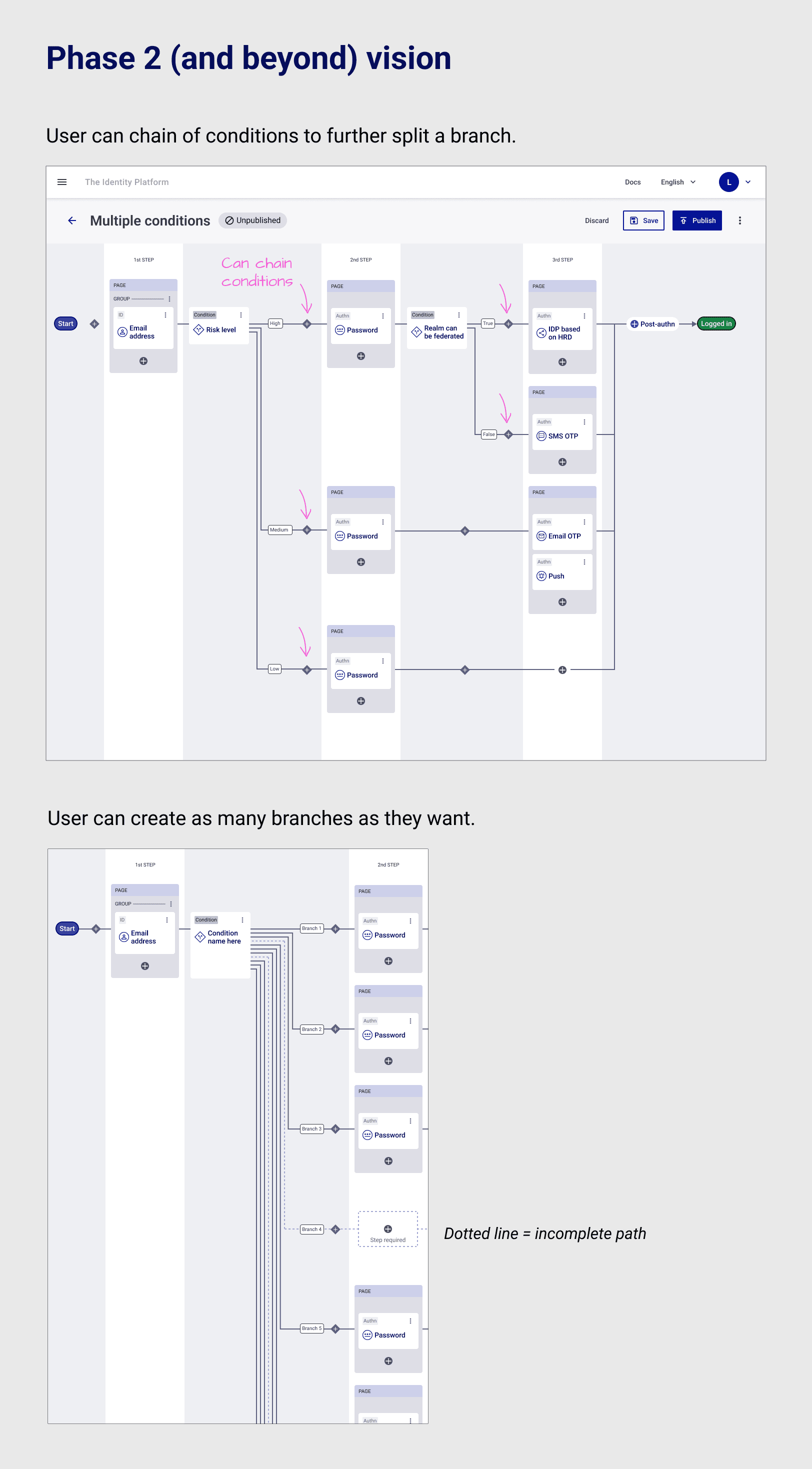
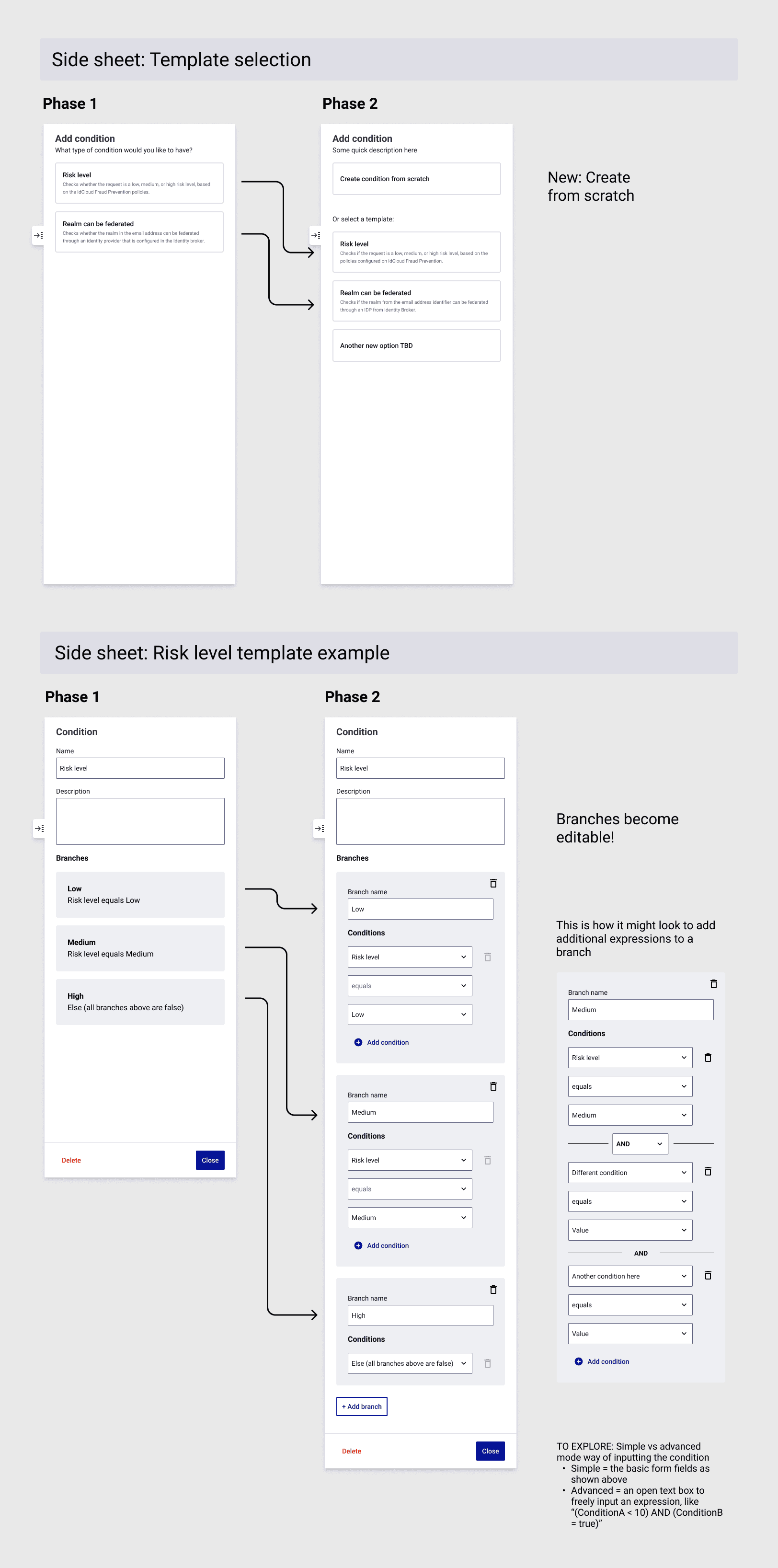
These mockups shows the new interactions introduced in Phase 2, such as the ability to add and edit conditional branches with multiple levels of AND/OR logic.
On to Phase 2 - deciding on the right amount of design effort to invest
For the Phase 2 design process, I decided to proceed with something simple and good enough based on the aligned vision. This decision was based on careful consideration the business priorities, the context of the customer problems we’re trying to solve, and where our precious UX team resources should be spending our time on.
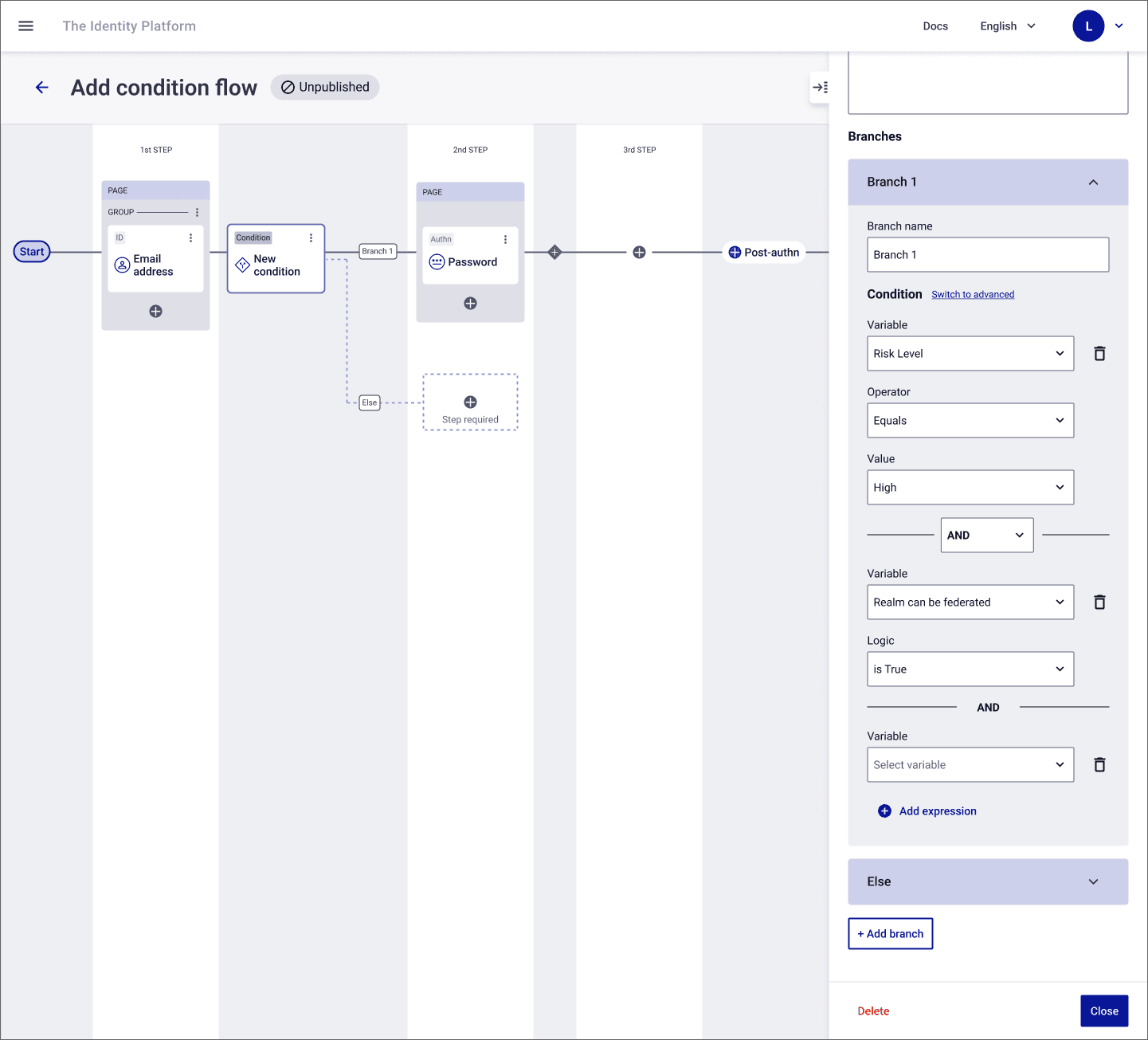
For phase 2, the details side sheet evolves into an editable form interface.
Our assumptions challenged by early feedback
During an internal cross-disciplinary design critique, I received some feedback that the UI did not match some team members’ mental models for configuring conditional logic in specific technical/IT systems.
I made a decision it was worth going back to the drawing board.
A clear mental model emerges
I went deeper into the secondary research. A ubiquitous pattern revealed itself.
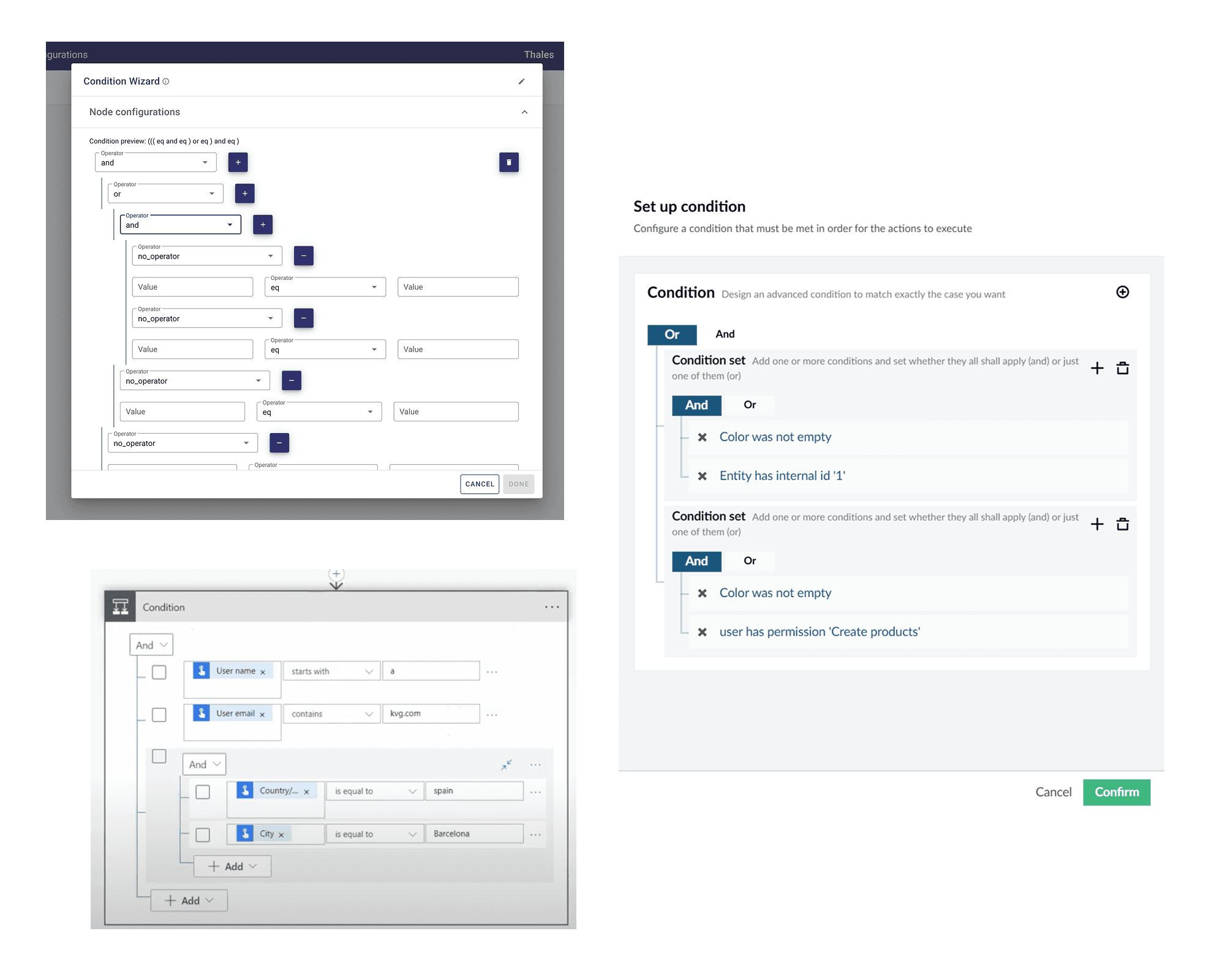
Examples from other platforms showing a tree-style UI anchored to the logical AND/OR operator at top.
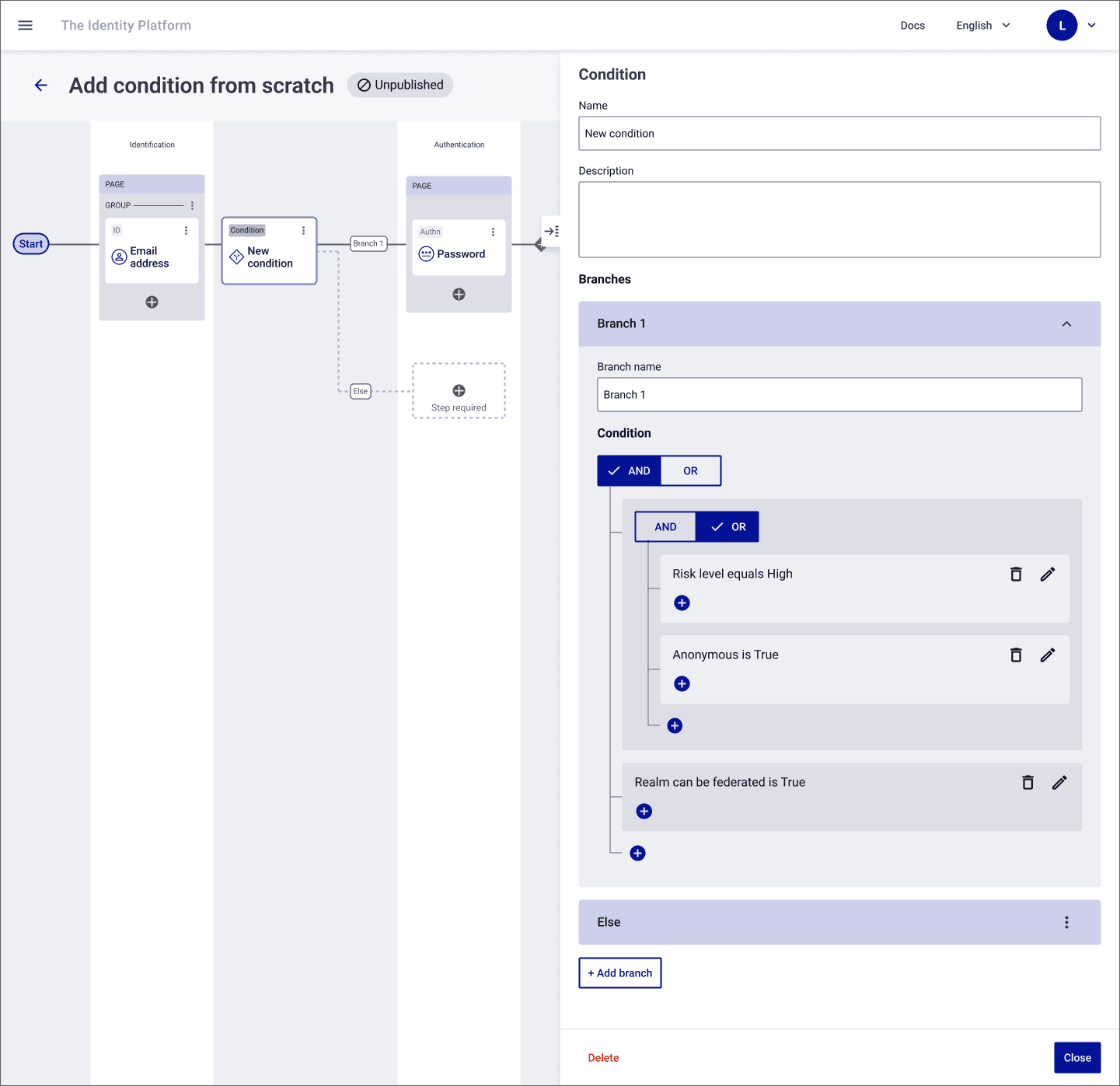
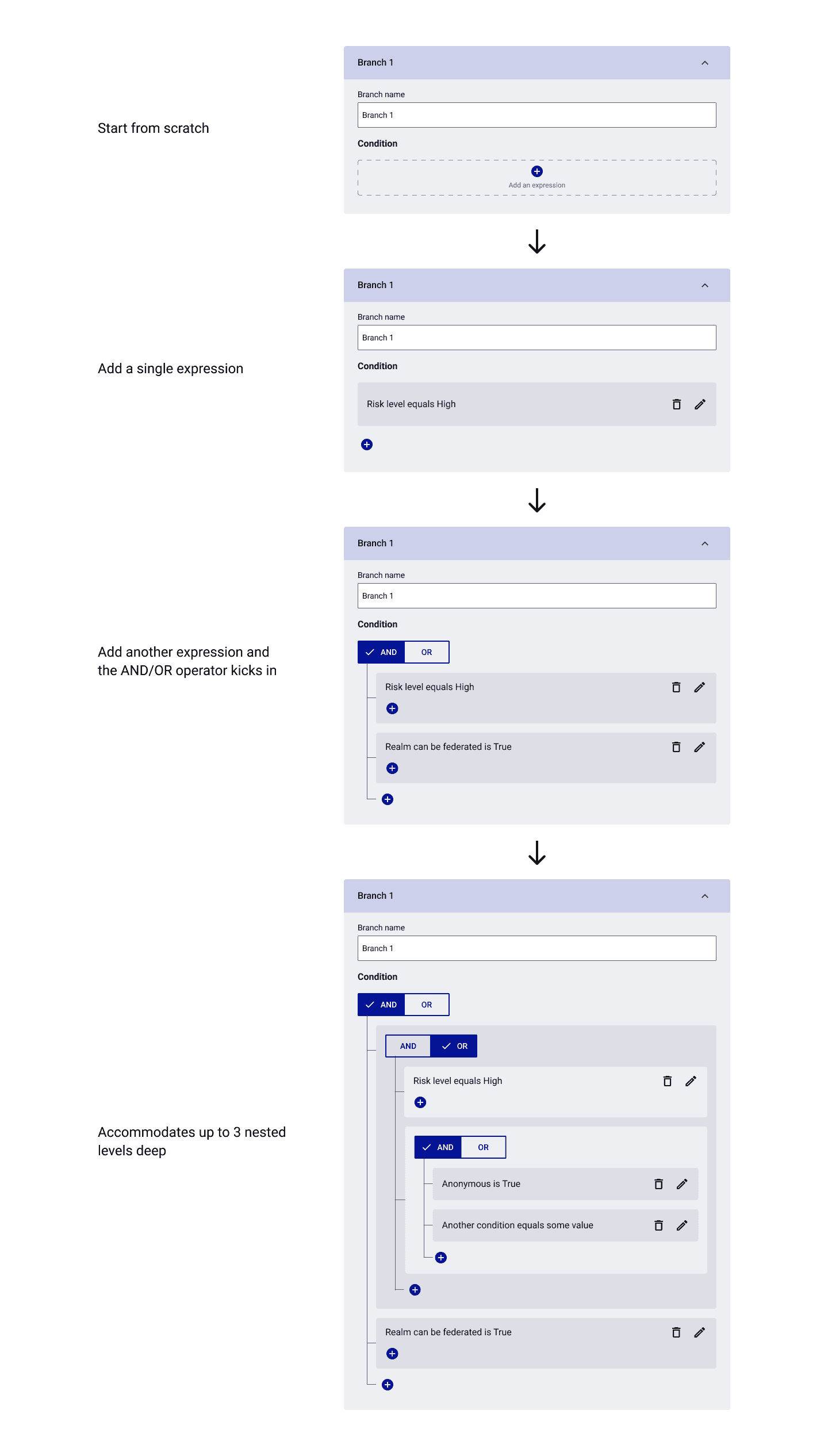
Keeping true to the business priorities and how we spend our resources to deliver the most value, it was wise to not to reinvent the wheel here. I translated this pattern to our design language, making sure it fit our requirements.
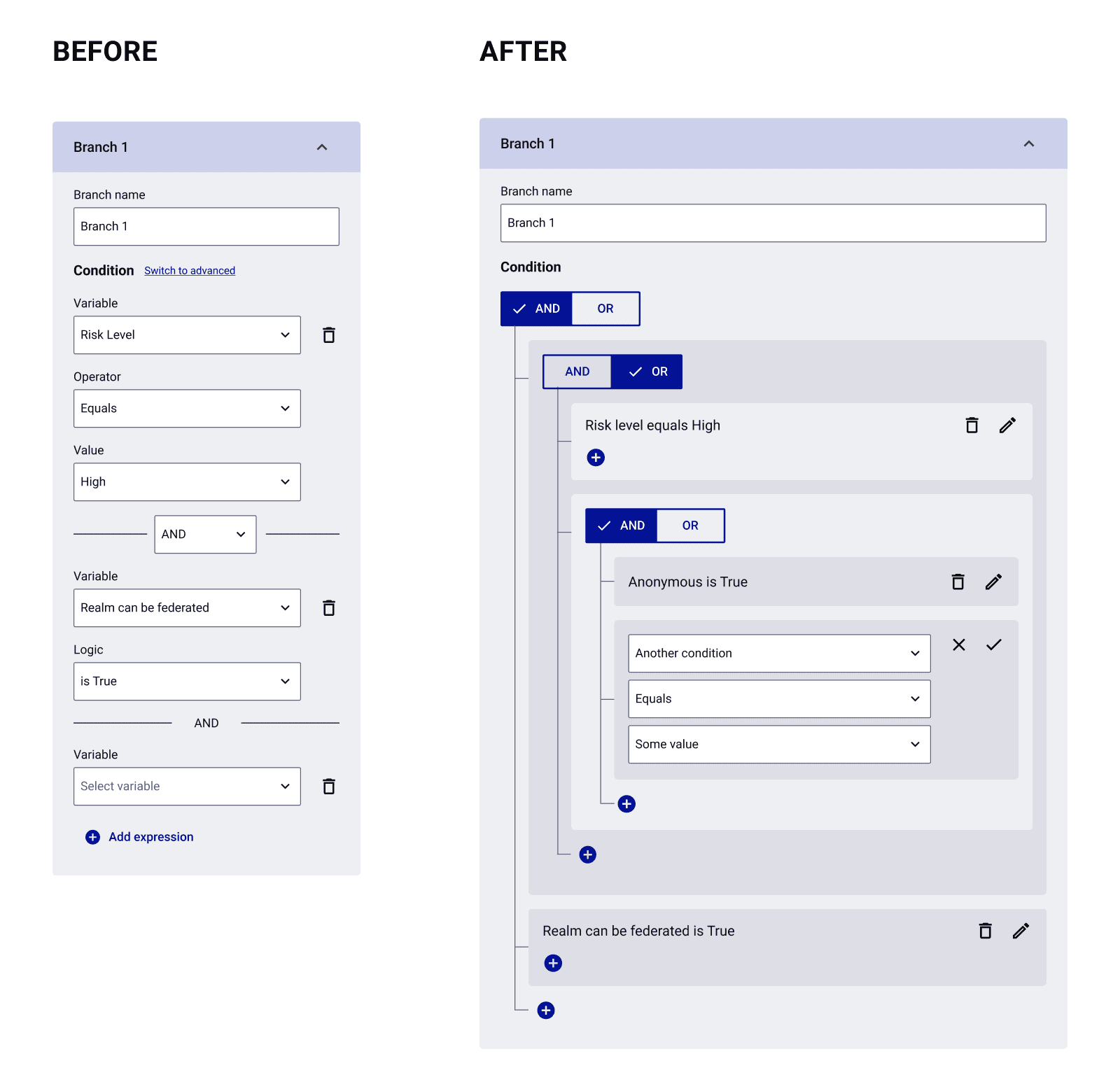
Now everyone had high confidence about this design. The team members who were brave enough to give their feedback in the first draft felt valued. The updated pattern allowed for even greater flexibility for future enhancements.
Let’s ship it!
Impact
Customer value
More complex authentication use cases are now supported. Non-technical customers can independently configure these scenarios without paying for hours of custom development.
Better logins for all
With conditions in login journeys, customers’ users get a better login experience by getting served just the right amount of authentication steps, leading to faster, more secure logins.
Internal team culture
Strengthened the org culture that UX team has been championing, having cross-disciplinary collaboration thru the UX process and voices to be heard.
Next steps
Iterate based on feedback
Work with product management to get a feedback program in place for the journey builder tool as it gets adopted by customers. The goal would be to validate that the solution does enough to address real customer use cases.
Usability validation
Conduct a usability test to learn if our design decisions were on the right track and discover any improvements.
Normally I would push to have a brand new pattern/interaction like this tested during the design process. It was deprioritized due to various factors affecting the priority of this feature and the business appetite for investing in this level of validation.
Metrics
Work with the team to measure:
The before/after of professional services hours that customers would’ve had to pay for to support conditional logic in their login flows, to quantify the customer dollar savings as well as our professional services team’s time savings.
User success (completion) rate and time on task of flows with conditional logic deployed vs not, to demonstrate that flows with conditional logic lead to better login experiences for end users.
Back to home
