Creating a journey builder from the ground up
Leading UX discovery and de-risking a complex 0-to-1 feature for an enterprise identity platform
Snapshot
Role: Lead designer
Project type: 0-to-1 new product feature
Team: Another UX designer who worked under my direction, product manager, product owner, technical architect, dev team (consulted for early feasibility input)
Timeline: 3 quarters
Context
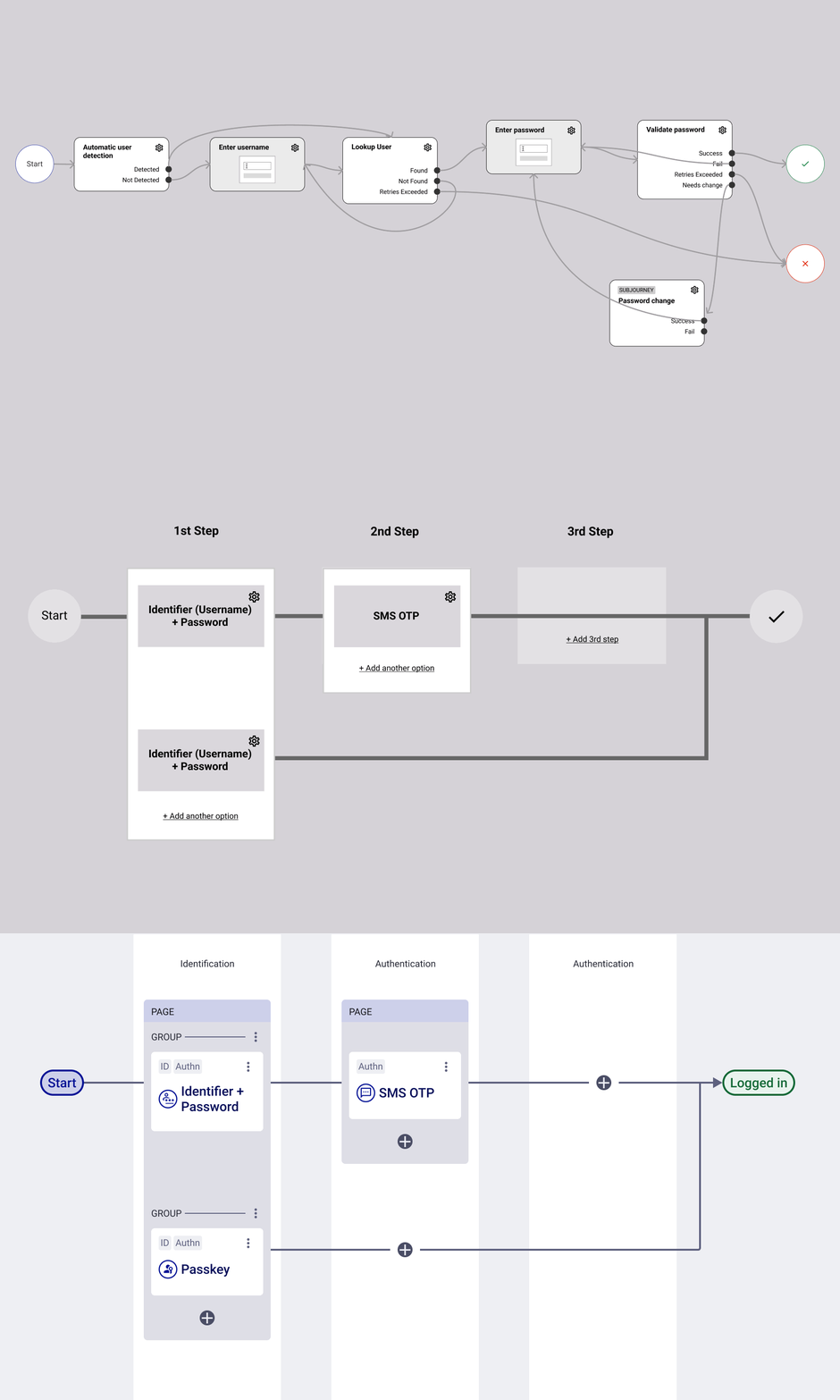
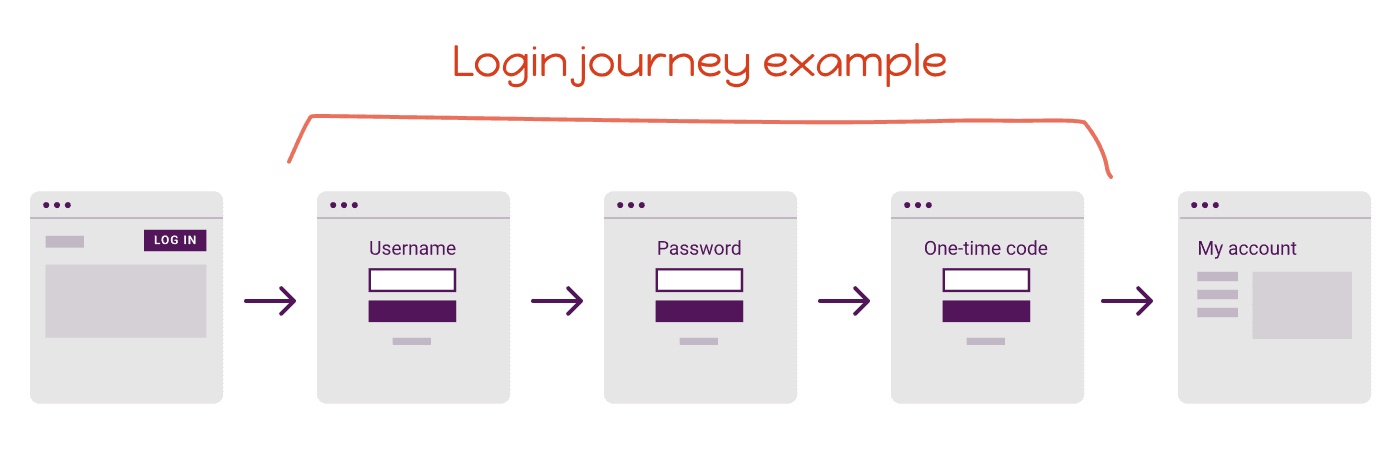
In the identity and access management (IAM) world, the login, registration, account reset processes that our customers’ end users go through are called user journeys (or flows).
User: System integrator admin, who is somewhat technical and in charge of translating their business and security requirements to the identity platform config
Problem/opportunity
User journeys are the foundation of an IAM solution. We knew we had to get this right.
So far, our identity platform admin console allows admin users to configure their integrations, policies, attributes, and more. Which meant the UI of the console has been a series of tables and forms.
There was no easy way to configure journeys:
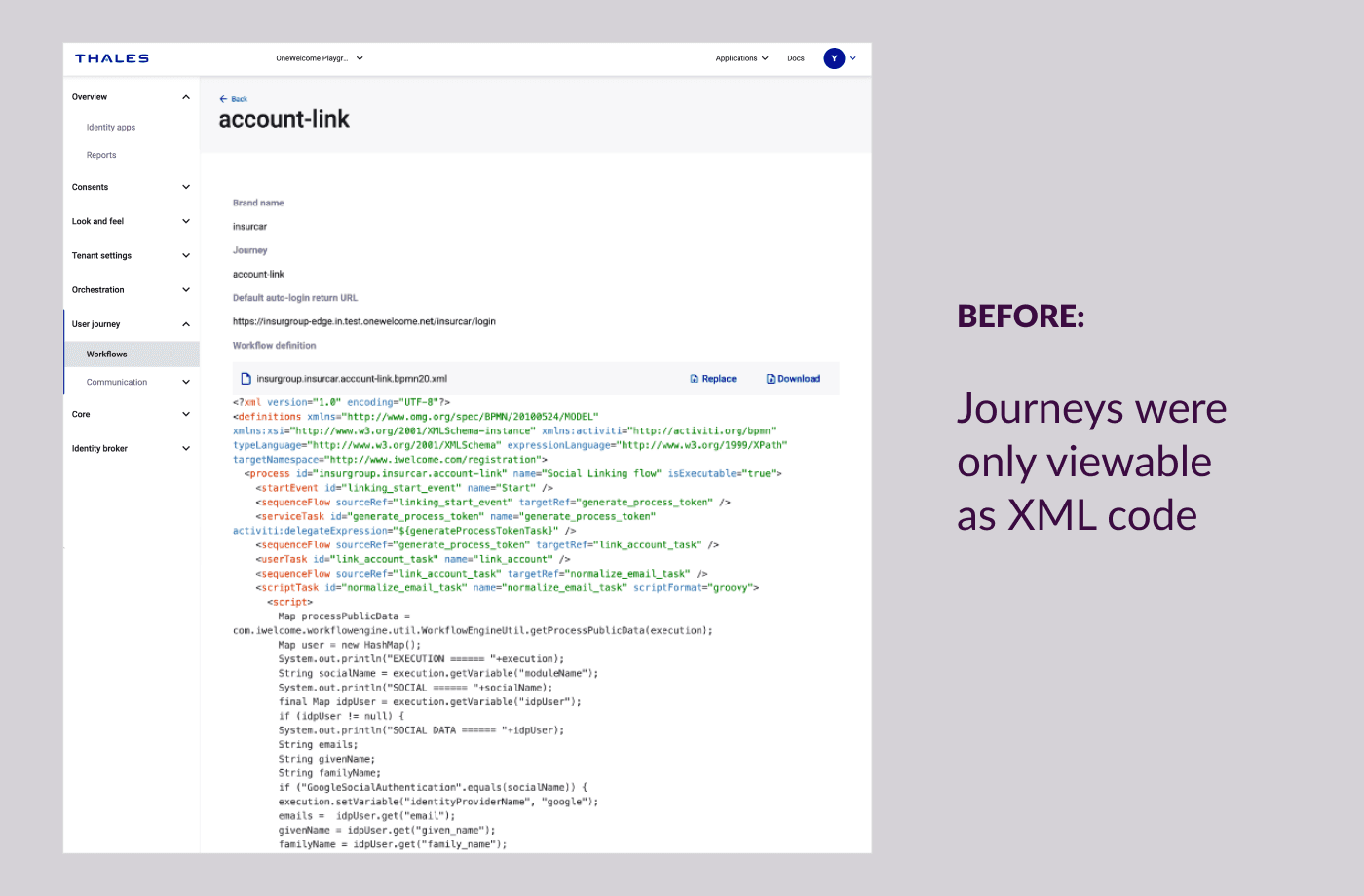
Customers had to pay Thales professional services to create custom journeys for their needs. These are written in code, existing as XML files.
The XML files were viewable on the console, but it's hard to read what the journey is doing, let alone make updates to it.
The top business priority was delivering customer independence. This meant the customer needed to be able to log into the admin console and configure anything they needed on their own without paying for Thales to do it for them.
How might we enable customers to build and manage their user journeys in a non-technical (low-code no-code) way?
A visual orchestration feature, but how?
Immediately, the team envisioned a visual journey editor interface. This was in line with standard experiences for building workflows in IT and cybersecurity platforms.
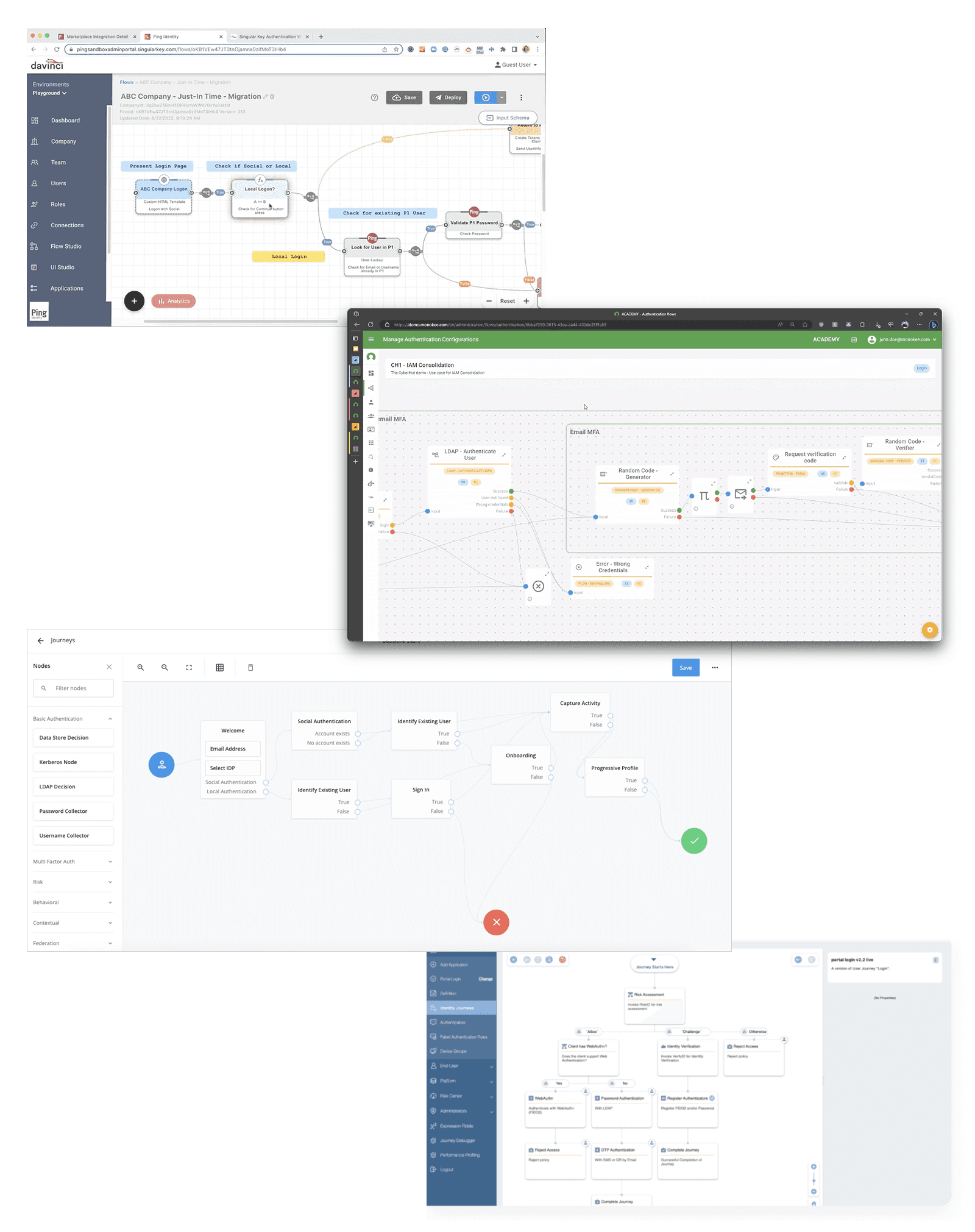
Some competitor screenshots of journey builder interfaces
However, everything was undefined. PM was figuring out requirements. Engineering was figuring out what was feasible. UX was sketching a vision for how this can work in our admin console.
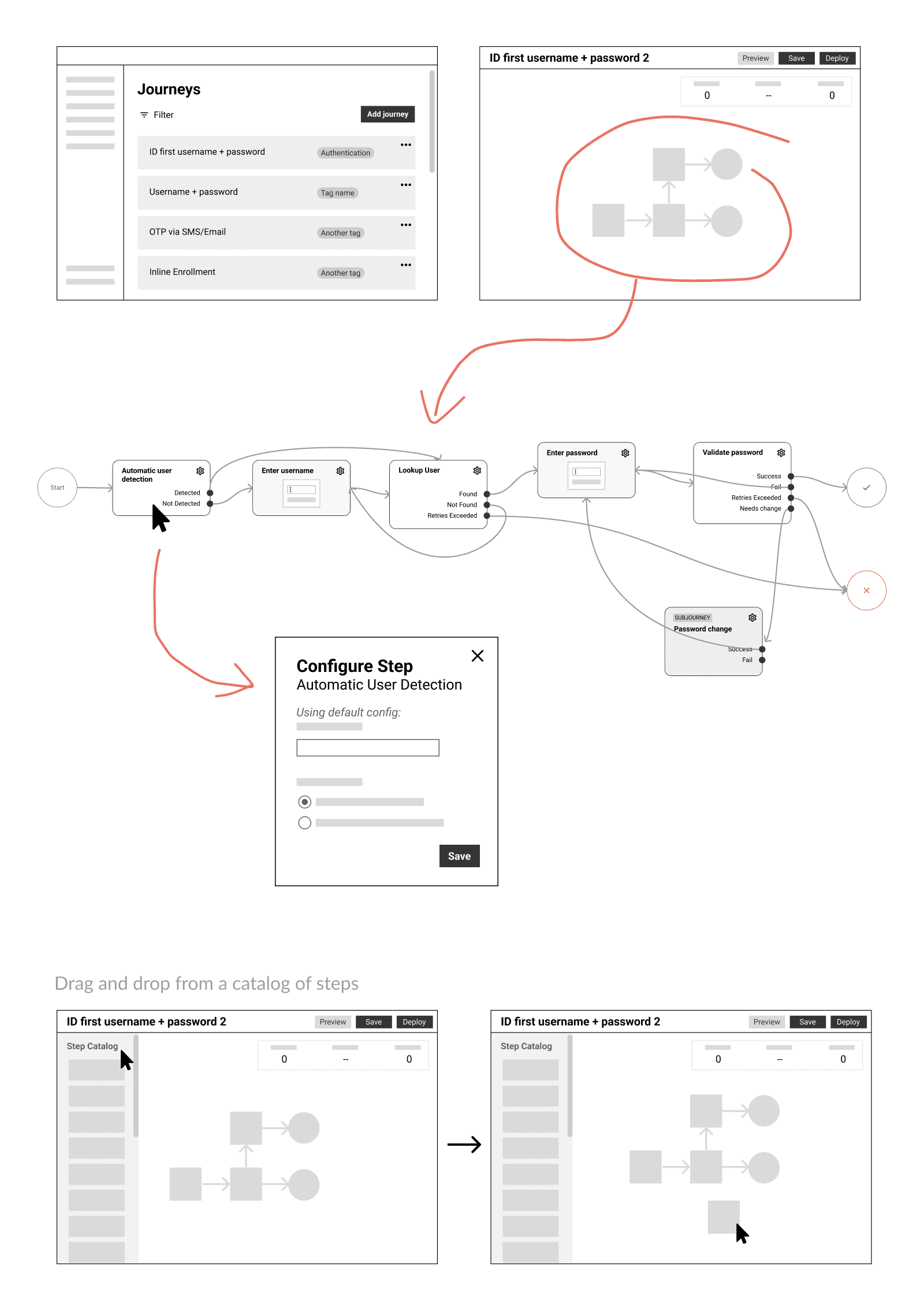
An early vision of the journey builder experience
The engineering team scoped various approaches for building this orchestration feature and aligned the business to a more technically achievable MVP plan that dictated some foundational constraints to the solution and experience.
Focus only on authentication use cases (save other journey types like enrollment, reset, recovery, etc. for later)
Adhere to a structured visual swimlane-style layout that allowed for a maximum of 3 steps (+ a post-authentication step)
A limited set of options (nodes/cards) to start with
No drag and drop, or any advanced interactions and effects
I questioned and pushed back a bit, as it’s a red flag for a product team to simply proceed with what engineering wants to build, but ultimately I came to understood the technical hurdles the team faced and the value of getting a good enough solution out the door sooner. This plan saved a magnitude of years of development time.
The structured swimlane approach
The engineering-proposed journey builder solution sounded fine from a high level. But would it really work for all the possible use cases? I collaborated with PM to hash out all the different scenarios that a customer would want to build, which helped identify any cases that required further exploration. For example, we surfaced the need for grouping, where multiple methods within a step may want to follow the same path, rather than be their own paths.
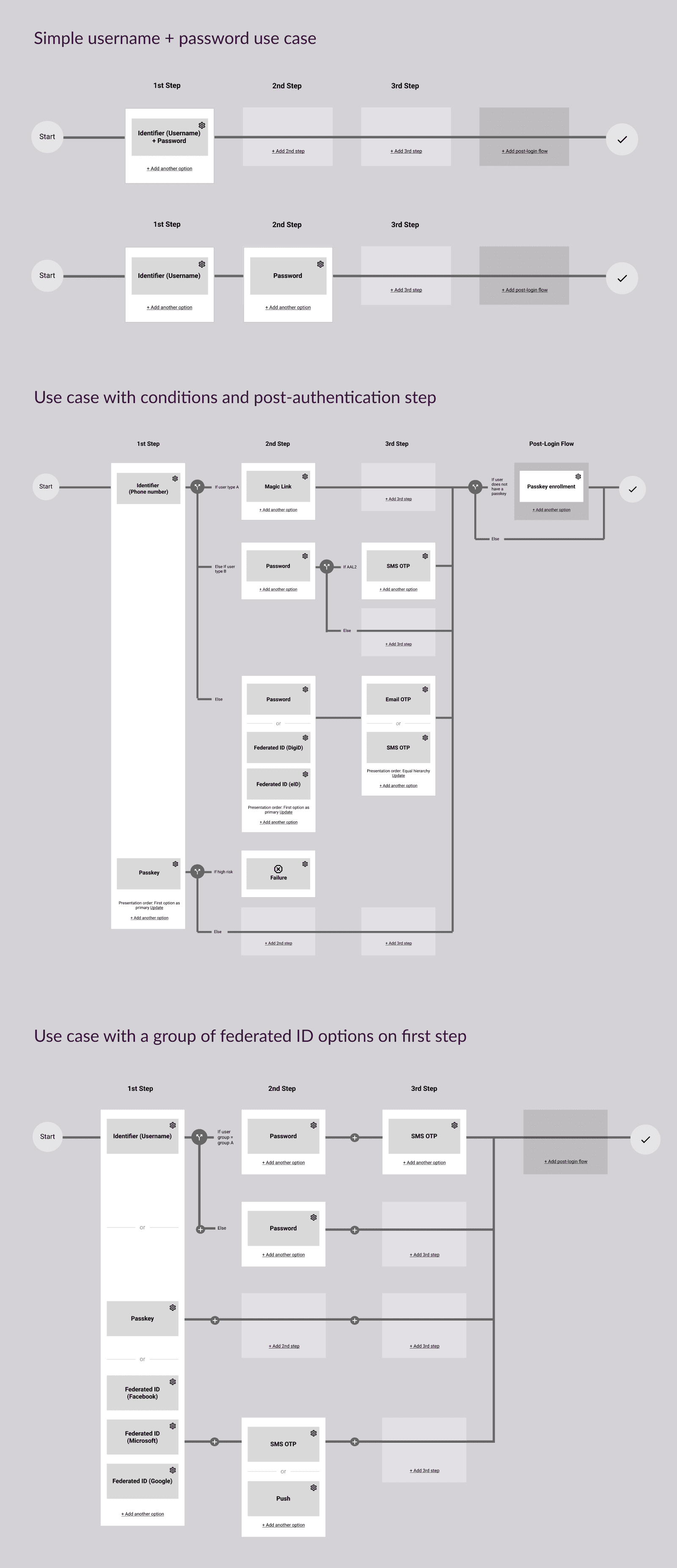
Wireframes of a few example use cases configured in the structured swimlane approach
Do we have the right solution?
The structured swimlane approach carried real risk if it proved insufficient as an MVP. I convinced the team to run a quick concept validation study — not a usability test, but a check on whether this level of functionality would let customers independently configure the journeys they needed.
We tested it on 6 internal sales engineers because they were quick to recruit, proved to be good proxy users in past studies, and deeply understood a wide variety of customer requirements.
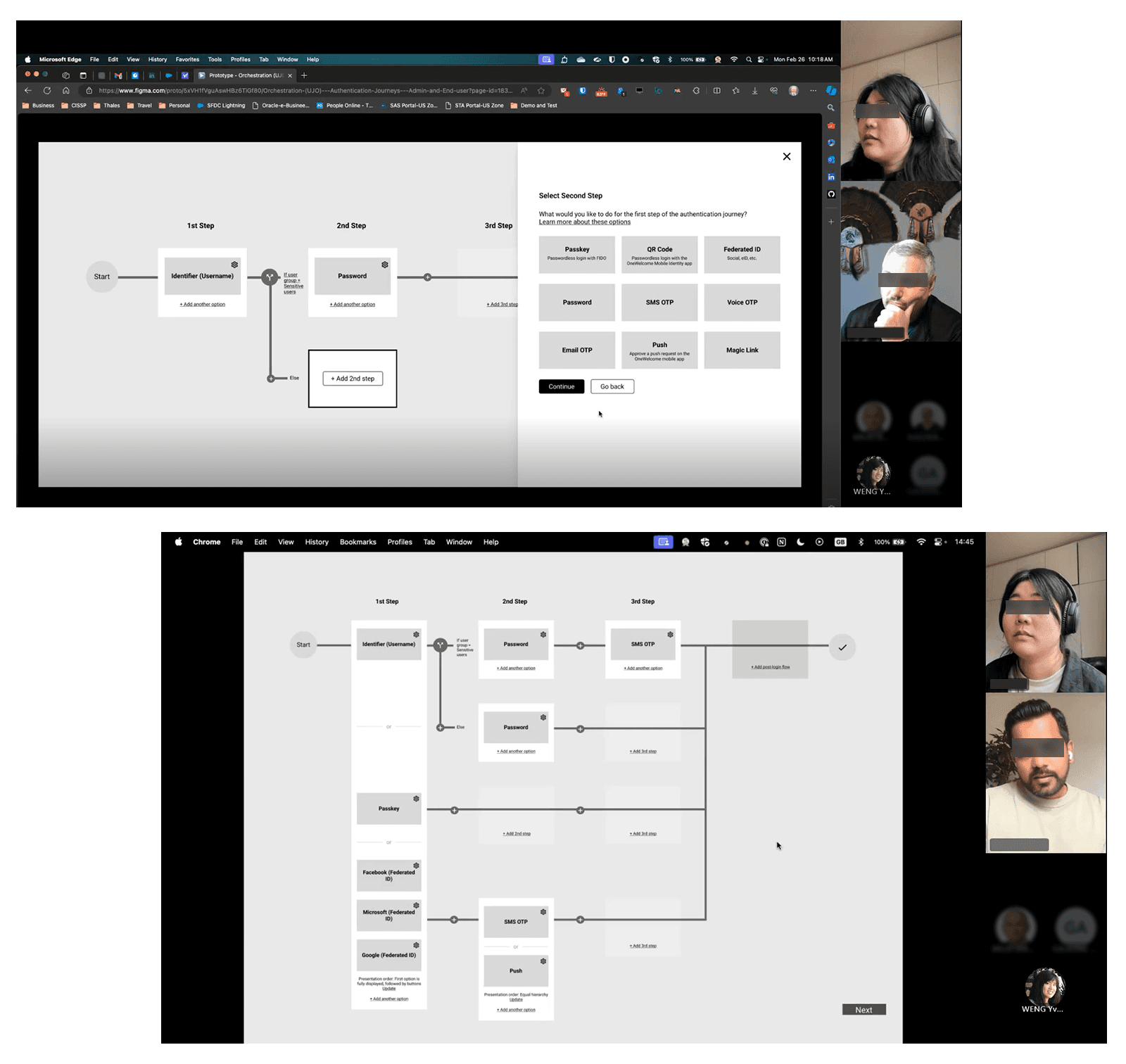
The study validated our direction. The journey configuration was intuitive, and the visual representation of conditional paths made sense. Friction points around steps vs. blocks, how to add a step or condition, and the desire for more information on each step gave us an actionable plan for the detail-level design of the journey diagram.
In parallel, the product manager found an opportunity to share the design with a major industry analyst firm, and we received promising feedback that our simple, structured journey builder was refreshingly different than the competitors, potentially even a competitive advantage.
Identifying gaps in the big picture
The team was mainly focused on how to design and implement the journey builder. But I zoomed out to look at the system level view and ask the question - what else do we need in the console to support the full end-to-end experience of building and managing a journey?
A number of areas for further exploration came up, for example:
How does each journey gets triggered? Should that be configured on the journey level? Or as a global setting elsewhere?
How about configuring the look, feel, and content of the end user’s login journey? How does that fit in with other end user-facing experiences that the admin needs to configure?
Where would settings that apply across all journeys go?
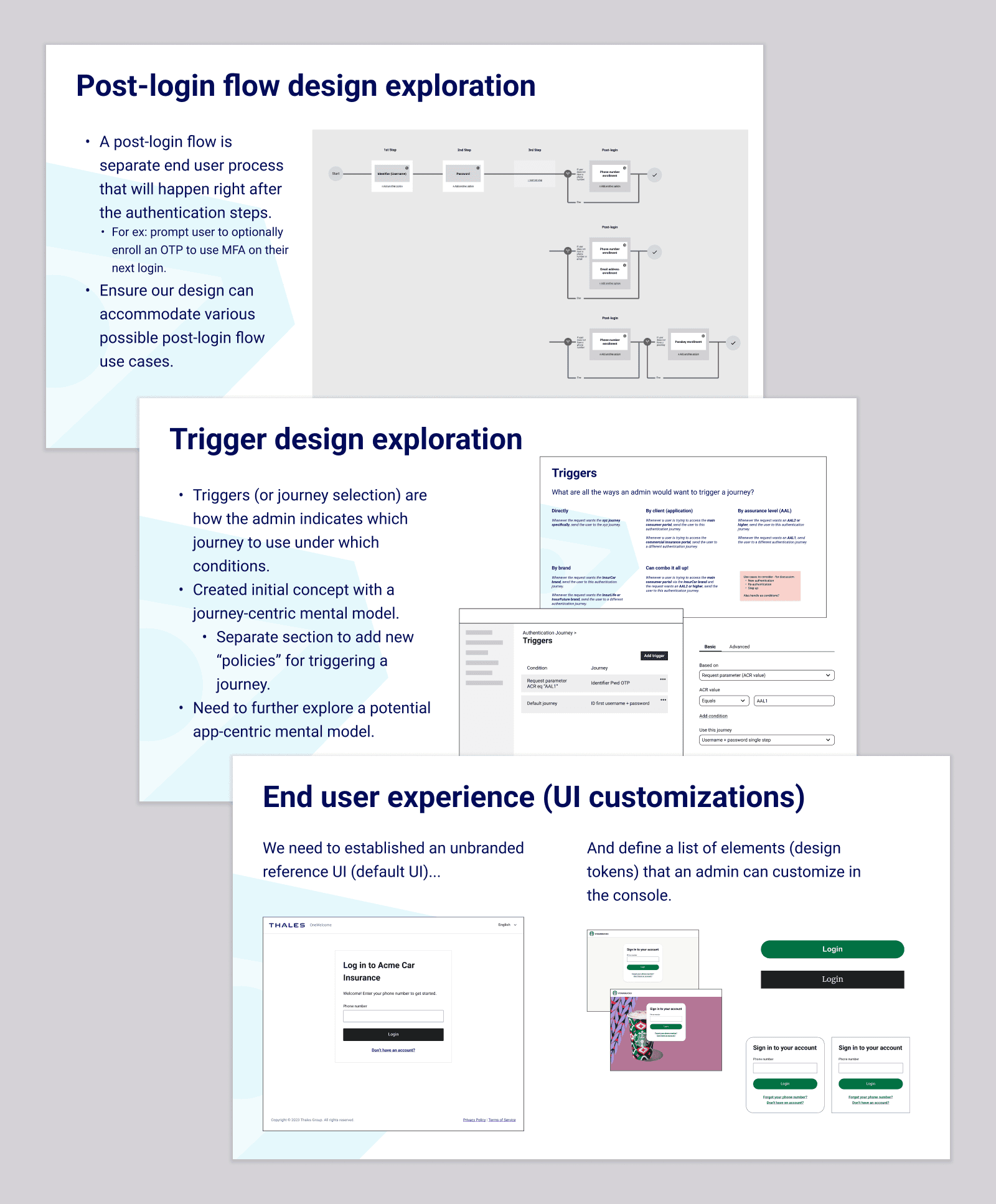
Slides summarized these gaps for discussion at planning meetings
A well-scoped game plan for cross-functional collaboration
I came up with a thorough plan for execution that breaks up the project so that 2 UX designers can achieve all that needed to be explored and designed. This way we can constantly deliver designs to stay a step ahead of dev.
This also involved close coordination with all dev teams involved, as well as the design system team to accommodate new patterns and components we’ll need as part of the new journey builder UI. Ultimately the UX work would span across 6 normally siloed component teams.
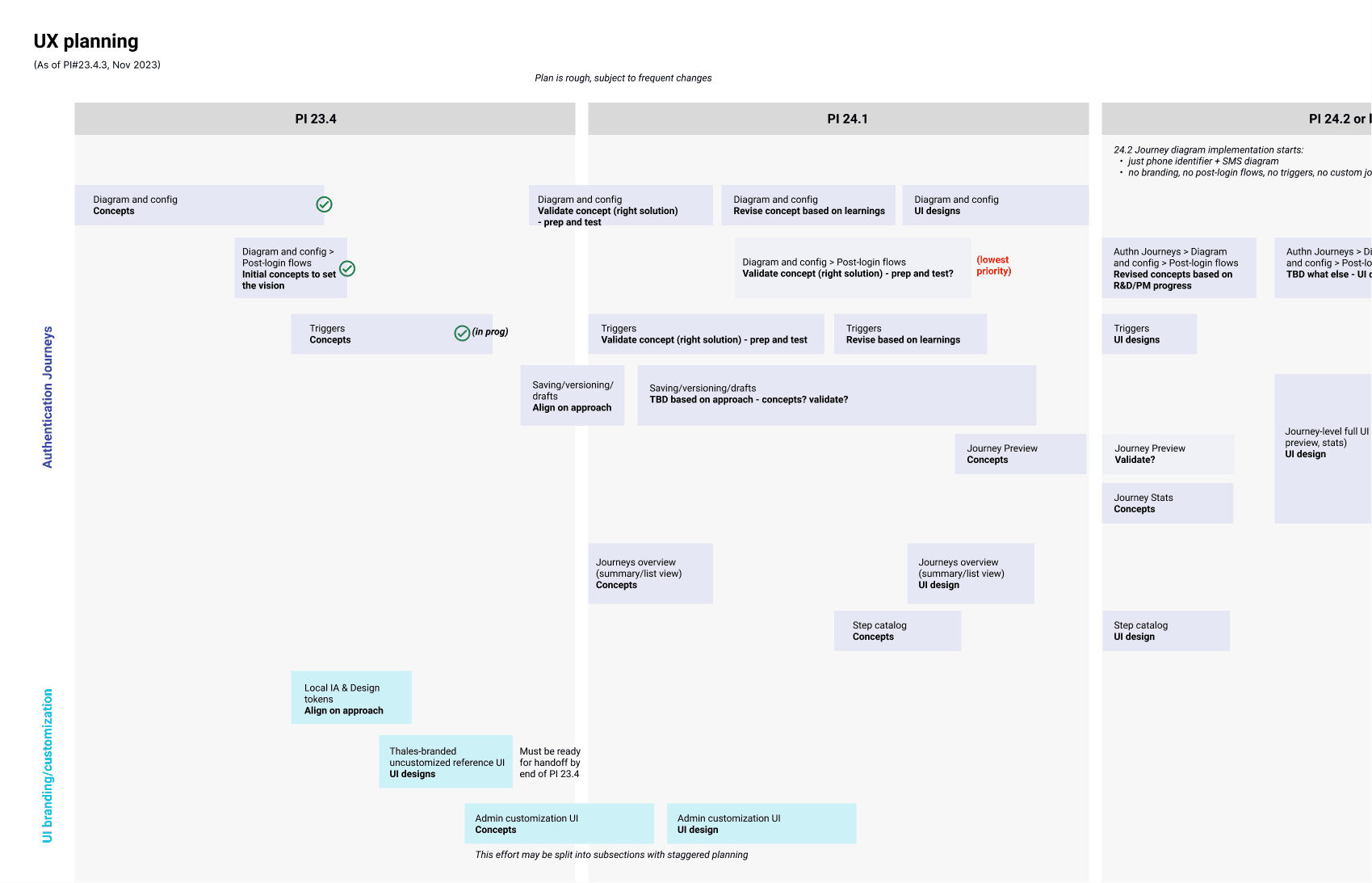
A snapshot of the UX planning timelines
The resulting design work
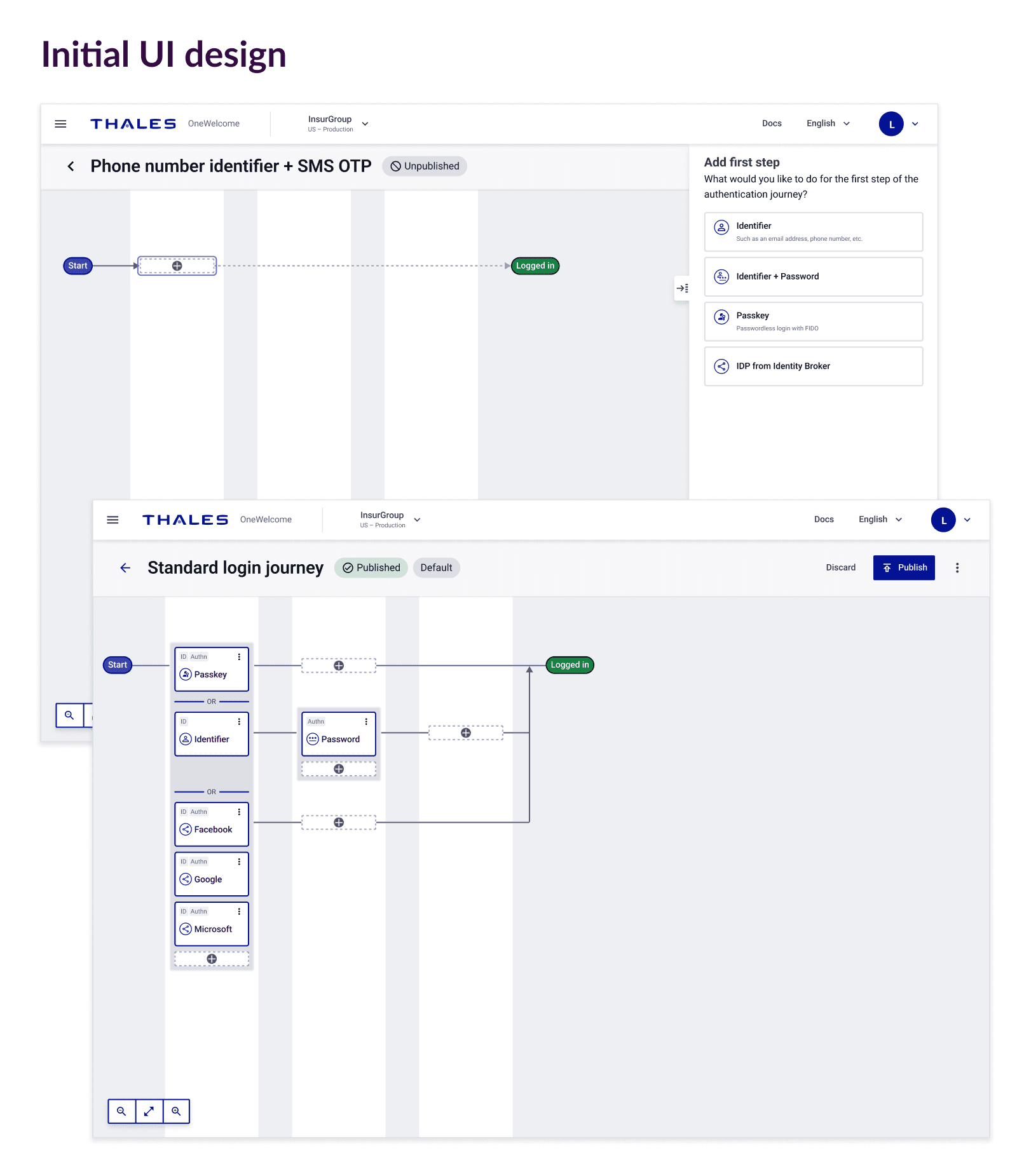
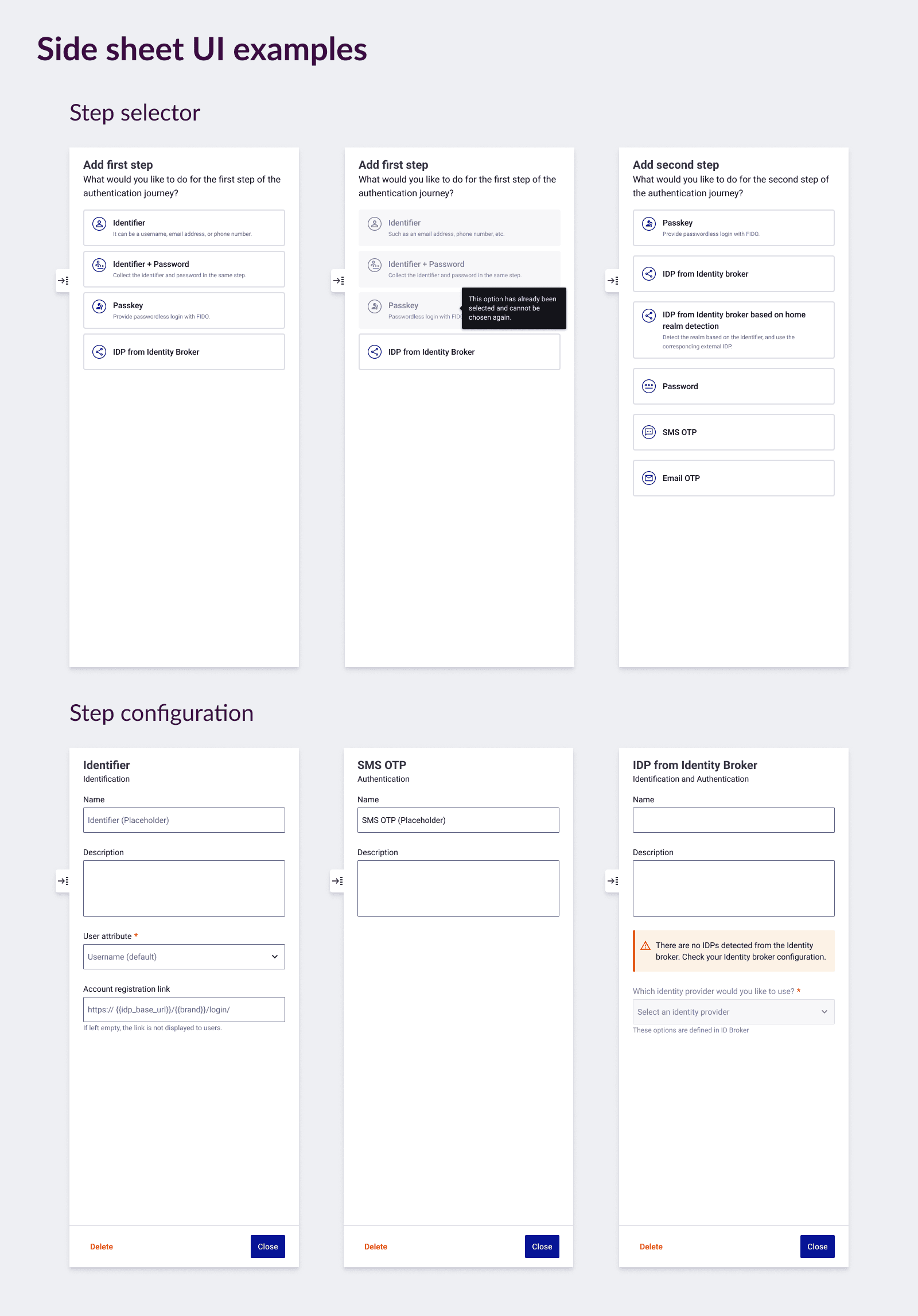
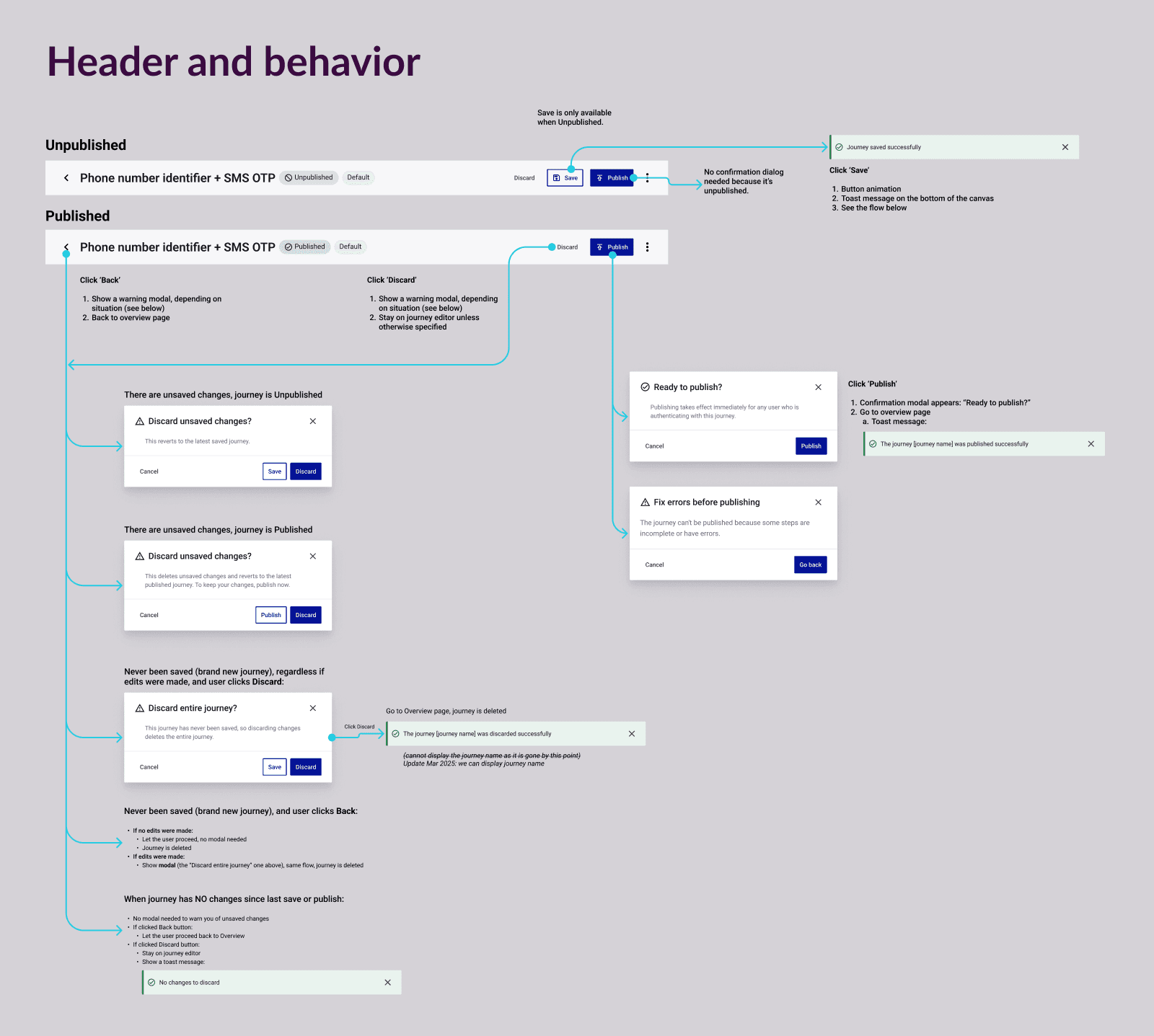
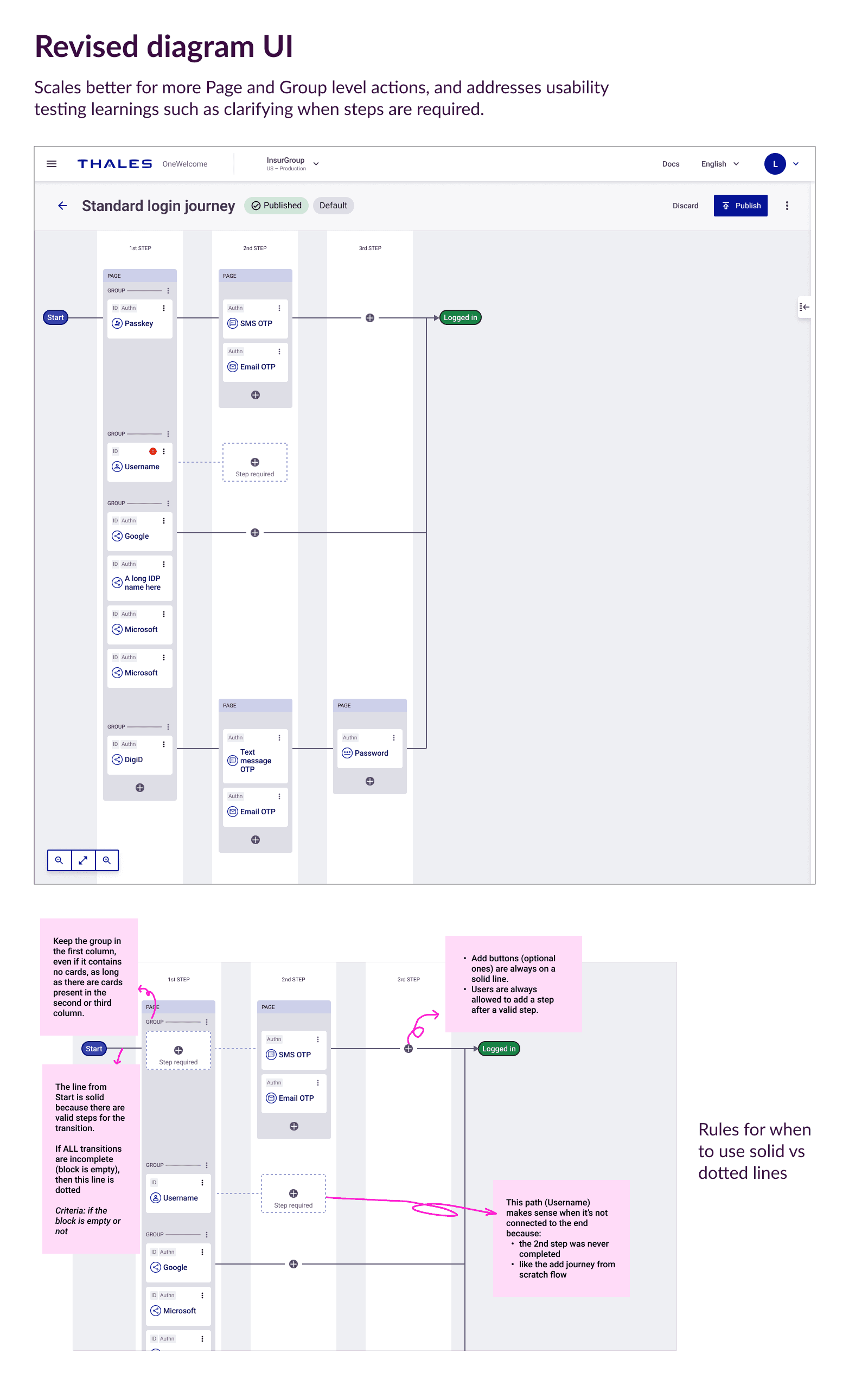
Fast forward…here’s a glimpse of what was achieved over the next year to address the different pieces of the authentication journeys project.
Impact
As of the writing of this case study, the MVP release of this feature is being rolled out.
A confident plan that derisked a large ambiguous core product feature
The product team wouldn’t have been able to accurately estimate and plan the design phase of this feature, which also influenced the implementation plan and timelines. Without my guidance and efforts, this high stakes feature would’ve been easily derailed.
A big step towards customer independence
Non-technical customers can now independently configure their login journeys. This not only saves customers’ money but frees up our professional services resources to tackle more valuable tasks.
A highly performant system that became a competitive differentiator
The simplicity of the design allowed engineers to optimize the system’s performance. This was noticed by partners as a significant difference compared to competitors’ more complex flow builder tools.
Next steps
Discovery for the next phase
The MVP release of this feature left out a lot of key elements of the full ideal solution, such as other types of journeys supported (account creation, password reset, and more). We’ll have a collaborative cross-functional exploration on how we expand the solution.
I would also push for enhancing the interactivity of the journey builder to meet standard patterns and expectations for tools like this, such as adding drag-and-drop.
Metrics
Work with the team to measure:
The before/after of support ticket volume related to journey configuration, to get a sense of achieving customer independence as well as capturing any other problems we can solve post-MVP.
The before/after of professional services hours that customers would’ve had to pay to manage their journeys, to quantify the customer dollar savings as well as our professional services team’s time savings.
Data from sales deals on if our journey builder experience was a cited reason for winning over other competitors, to prove whether our big bet on a simple structured approach was truly a differentiator.
Back to home
